File Distribution. Overview
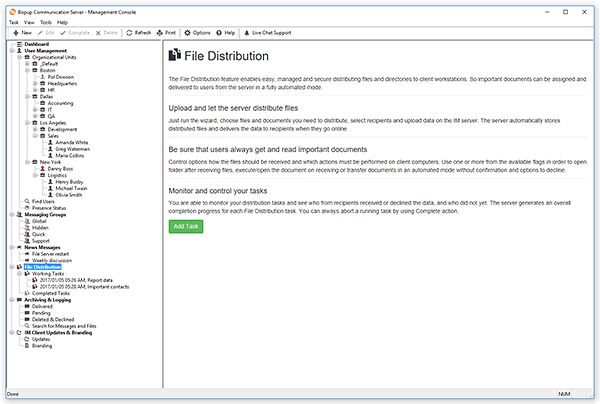
The File Distribution feature enables easy, managed and secure distributing files and directories to client workstations. So important documents can be assigned and delivered to users from the server in a fully automated mode. You need just to choose files and documents you want to distribute, select recipients and upload data on the IM server. The server automatically stores distributed files and delivers the data to recipients immediately or when they go online.
In addition you can control options how the files should be received and which actions must be performed on client computers. Use one or more from the available flags in order to open folder after receiving files, execute/open the document on receiving or transfer documents in an automated mode without confirmation and options to decline.
You are able to monitor your distribution tasks and see who from recipients received or declined the data, and who did not yet. The server generates an overall completion progress for each File Distribution task. You can always abort and complete a running task.
Select the File Distribution item in the tree to switch to the File Distribution view. The Current Tasks list includes currently working distribution tasks that have at least one pending recipient who did not yet receive the files. The Completed Tasks list is an archive of completed/aborted distribution tasks you had previously run.
You can also switch to your current File Distribution tasks view from the Dashboard by clicking the Manage File Distributions button.
 |
| Working File Distribution tasks list |
The result list displays the creation date of the task, its name, list and size of the distributed files/documents, number of recipients and overall completion progress (in percent). Double-click a File Distribution task to open its profile page.



 Facebook page
 Follow Us on Twitter
 YouTube channel
 Read Our News and Blog