Tools. SQL database maintenance
The options on the SQL database maintenance dialog box allow to create a backup of current database used by Bopup Communication Server, restore and clean up it.
To open the SQL database maintenance dialog box select the "Tools\SQL database maintenance..." item from the main menu.
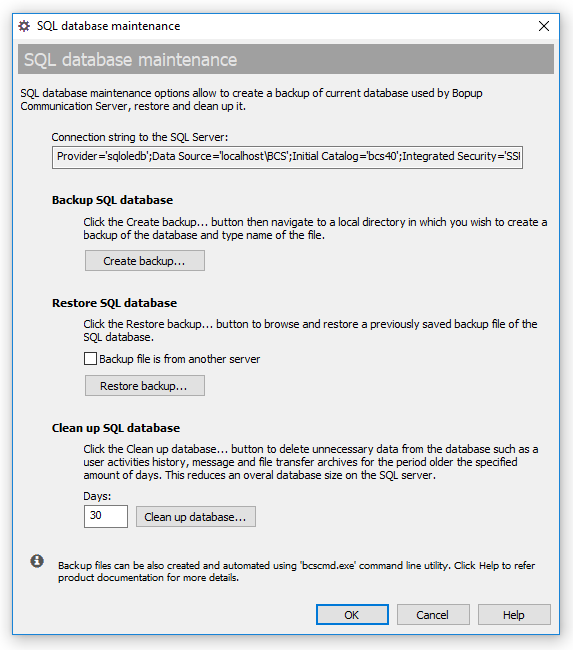 |
| SQL database maintenance options |
- "Connection string to the SQL Server" — The text field below contains a connection string used by the IM server to connect to the database server. This string contains the name of database, address of a computer running the SQL Server and authentication mode used for connection. This value can be requested by a technical support representer and used only for internal purposes.
- Create backup... — Backs up the SQL database. Click this button then navigate to a local directory in which you wish to create a backup of the database and type name of the file.
- Restore backup... — Restores the SQL database. Click this button to browse and restore a previously saved backup file of the SQL database. Please note that you will be prompted to close and restart the Management Console in order to see applied changes.
"Backup file is from another server" — Check this option before choosing the backup file if it was created on another installation of the communication server and/or from another instance of Microsoft SQL Server.
- Clean up database... — Cleans up the SQL database. Click this button to delete unnecessary data from the database such as a user activities history, message and file transfer archives that is older the specified number of days. The cleanup function keeps the message and transfer archive only for the last number of days that has been entered. This reduces overall database size and disk space on the SQL server.
 |
Backup and restore functions are supported only for Microsoft SQL Server family. These buttons are grayed out if Postgres Pro database server is used. |



 Facebook page
 Follow Us on Twitter
 YouTube channel
 Read Our News and Blog