

Commercial Use
Bopup Scanner is a fully portable software. It requires no any setup and installation on a destination computer and can be easily copied to a USB flash drive to move to another PC.
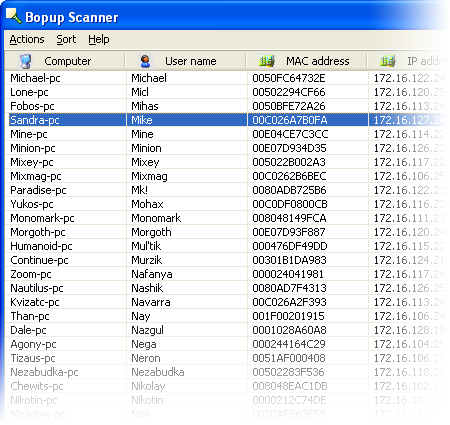
Bopup Scanner allows to open shared folders on remote computers in Windows Explorer. Right-click on a computer and then select "Browse..." from the pop-up menu.
Bopup Scanner recognizes HTTP (Web) servers running on remote computers (TCP ports 80, 8080) and shows "Running" label in the "HTTP server" column.
The program can be executed with the command line paramaters in order to specify pre-defined options, such as IP range to scan (start and end IP addresses), a path of the file where to save results. So the scanner can be used in batch files as a tool for an automated monitoring.
To see the available command line options run the scanner.exe file with the /? or /h parameters or click More infomation... button in the About dialog.
Results can be saved to a text file. Just select "Actions\Save list..." and type a file name to save.
Administrators can enter IP range to scan and timeout to resolve a remote computer.

Latest version is 2.1.9
Released on October 29, 2016
Supports Windows® 95/98/Me/NT 4.0/2000/XP/2003/Vista/2008/7/8/2012/10


 Facebook page
 Follow Us on Twitter
 YouTube channel
 Read Our News and Blog